
Security Best Practices in Mobile ApplicationDevelopment
- October 26, 2023
- 3 min read
In today’s digital-centric world, mobile apps serve as the central pillar for countless businesses. As these apps accumulate users and manage sensitive details, they’re increasingly in the cross-hairs of hackers. Thus, fortifying mobile app security is not just a luxury but an imperative.
For business executives, embracing and deploying up-to-date mobile application development solutions and strategies to reinforce mobile app security could be the line between success and a potential cyber calamity. This piece provides insights into leading security methodologies for mobile app design.
1. Securing Data
A truly protected mobile app hinges on its data management approach. In light of advancing cyber threats, mere password defences are insufficient. Firms must guarantee that their apps’ stored or shared data is encrypted. Using the Advanced Encryption Standard (AES) for data encryption is commonly endorsed. By encrypting data both while transferring (via methods like TLS) and when stored, organizations can deter unauthorized access and potential data leaks.
2. Enhanced User Verification
Verifying identities is pivotal. It’s essential to incorporate strong authentication techniques to ensure only authorized individuals access the app’s functionalities and data. Modern standards include two-factor authentication (2FA) and biometric verifications such as fingerprint or facial scans. Furthermore, bypass saving authentication tokens or passcodes on devices. Opt for systems like OAuth or OpenID, which grant restricted access and can be remotely invalidated if breached.
3. Strengthening API Connections
Numerous apps utilize Application Programming Interfaces (APIs) for data transmission. Every API interaction is a possible security weak spot.
- API Rate Limits:Restrict the API requests from an individual user or device within set intervals to ward off exhaustive attack attempts.
- HTTPS Protocol: Prioritize HTTPS for all API communications to ensure encrypted data exchanges.
- Token-Based Authorization: Employ temporary tokens for API communications rather than direct credentials.
4. Routine Security Checks & Ethical Hacking
Adopt an attacker’s mindset. Periodic security evaluations and ethical hacking can pinpoint weak spots before they’re manipulated. Engaging external cyber security experts offers a new viewpoint, potentially spotting overlooked vulnerabilities.
5. Clean and Safe Code Practices
Many breaches stem from code weak spots. Guaranteeing a secure code foundation for your app is a pre-emptive measure against potential threats.
- Code Obfuscation: Scramble or confuse your code to deter hackers from deciphering and altering it.
- Prudent Third-party Code Use: While external libraries can expedite development, they might also be vulnerable. Thoroughly assess any third-party code before its incorporation.
6. Holistic Device-App Security
Mobile apps integrate with the broader device environment. Ensure this relationship is secure by:
- App Containment: Employ app sandboxing present in many mobile operating systems to restrict app actions, barring unauthorized data or feature access.
- Detection of Modified Devices: Design apps to recognize and limit functions on altered devices, which carry higher security concerns.
7. Educating Users
Users are integral to security. Periodically guide them on safe practices, like avoiding non-official app stores, updating apps and systems regularly, and declining unnecessary permissions.
8. Backend Protections
Mobile app protection isn’t just about user-facing elements; backend servers and data storage need defence.
- Advanced Firewalls: Employ high-end firewall solutions. Systems like Intrusion Detection Systems (IDS) and Intrusion Prevention Systems (IPS) can detect and counteract threats.
- Database Safeguarding: Encrypt critical data within databases. Adopt powerful encryption techniques and refresh encryption keys often.
9. Stay Updated with Dependencies
Apps hinge on multiple dependencies, which can harbour vulnerabilities.
- Dependency Checkers: Utilize tools such as Snyk or Dependabot to periodically check and highlight outdated or vulnerable components.
10. Employing Content Security Measures (CSP)
CSP acts as a protective layer, thwarting Cross-Site Scripting (XSS) and similar attacks.
11. Physical Security Vigilance
Despite having optimal digital security, physical exposures can be a blind spot.
- Remote Data Deletion: For apps handling confidential data, consider options allowing users or admins to erase data if devices are lost or stolen.
- Geo-Restrictions: Curb app features based on geographic zones, making sure certain tasks can only occur in safe, known locales.
12. Adherence to Regulations like GDPR
Particularly for entities active in or catering to the European audience, GDPR adherence is crucial.
- Data Transparency and Consent: Always inform users about data collection and secure their agreement. Establish straightforward data erasure protocols, and allow users easy access to their data.
13. Predictive Threat Analysis
Before app launch, foresee potential hazards by thinking like a hacker.
- Assessing Risks: Determine the app’s most vulnerable sections and allocate resources for their protection. Anticipating potential breach methods aids in proactive defence structuring.
14. Limit Data Accumulation
The less data in your possession, the less enticing your app is for hackers.
- Collect Only What’s Needed: Gather only indispensable data. Refrain from holding sensitive details unless absolutely required.
15. Real-time Surveillance and Record-keeping
Monitor app activities and user behavior live.
- Spotting Irregularities: Monitoring enables apps to detect and halt unusual actions. Live record-keeping aids in retracing and comprehending any potential security occurrences.
To wrap up, as mobile applications,including those built by flutter app development services, grow more integral in the digital realm, their security cannot be an afterthought. Embedding the aforementioned practices can substantially mitigate cyber risks, fostering a secure space for enterprises and their customers. In this digital age, staying current, continuously evolving, and pre-emptively addressing threats is crucial. A solid security stance not just safeguards the organization, but also builds user confidence.
Share this:



Security Best Practices in Mobile Application Development
In today’s digital-centric world, mobile apps serve as the central pillar for countless businesses. As these apps accumulate users and manage sensitive details, they’re increasingly in the cross-hairs of hackers. Thus, fortifying mobile app security is not just a luxury but an imperative.
For business executives, embracing and deploying up-to-date mobile application development solutions and strategies to reinforce mobile app security could be the line between success and a potential cyber calamity. This piece provides insights into leading security methodologies for mobile app design.
Securing Data
A truly protected mobile app hinges on its data management approach. In light of advancing cyber threats, mere password defences are insufficient. Firms must guarantee that their apps’ stored or shared data is encrypted. Using the Advanced Encryption Standard (AES) for data encryption is commonly endorsed. By encrypting data both while transferring (via methods like TLS) and when stored, organizations can deter unauthorized access and potential data leaks.
Enhanced User Verification
Verifying identities is pivotal. It’s essential to incorporate strong authentication techniques to ensure only authorized individuals access the app’s functionalities and data. Modern standards include two-factor authentication (2FA) and biometric verifications such as fingerprint or facial scans. Furthermore, bypass saving authentication tokens or passcodes on devices. Opt for systems like OAuth or OpenID, which grant restricted access and can be remotely invalidated if breached.
Strengthening API Connections
Numerous apps utilize Application Programming Interfaces (APIs) for data transmission. Every API interaction is a possible security weak spot.
- API Rate Limits:Restrict the API requests from an individual user or device within set intervals to ward off exhaustive attack attempts.
- HTTPS Protocol: Prioritize HTTPS for all API communications to ensure encrypted data exchanges.
- Token-Based Authorization: Employ temporary tokens for API communications rather than direct credentials.
Routine Security Checks & Ethical Hacking
Adopt an attacker’s mindset. Periodic security evaluations and ethical hacking can pinpoint weak spots before they’re manipulated. Engaging external cyber security experts offers a new viewpoint, potentially spotting overlooked vulnerabilities.
Clean and Safe Code Practices
Many breaches stem from code weak spots. Guaranteeing a secure code foundation for your app is a pre-emptive measure against potential threats.
- Code Obfuscation: Scramble or confuse your code to deter hackers from deciphering and altering it.
- Prudent Third-party Code Use: While external libraries can expedite development, they might also be vulnerable. Thoroughly assess any third-party code before its incorporation.
Holistic Device-App Security
Mobile apps integrate with the broader device environment. Ensure this relationship is secure by:
- App Containment: Employ app sandboxing present in many mobile operating systems to restrict app actions, barring unauthorized data or feature access.
- Detection of Modified Devices: Design apps to recognize and limit functions on altered devices, which carry higher security concerns.
Educating Users
Users are integral to security. Periodically guide them on safe practices, like avoiding non-official app stores, updating apps and systems regularly, and declining unnecessary permissions.
Backend Protections
Mobile app protection isn’t just about user-facing elements; backend servers and data storage need defence.
- Advanced Firewalls: Employ high-end firewall solutions. Systems like Intrusion Detection Systems (IDS) and Intrusion Prevention Systems (IPS) can detect and counteract threats.
- Database Safeguarding: Encrypt critical data within databases. Adopt powerful encryption techniques and refresh encryption keys often.
Stay Updated with Dependencies
Apps hinge on multiple dependencies, which can harbour vulnerabilities.
- Dependency Checkers: Utilize tools such as Snyk or Dependabot to periodically check and highlight outdated or vulnerable components.
Employing Content Security Measures (CSP)
CSP acts as a protective layer, thwarting Cross-Site Scripting (XSS) and similar attacks.
- Authorized Source Lists: Through CSP, companies can outline trusted sources, ensuring the app only processes or loads sanctioned content.
Physical Security Vigilance
Despite having optimal digital security, physical exposures can be a blind spot.
- Remote Data Deletion: For apps handling confidential data, consider options allowing users or admins to erase data if devices are lost or stolen.
- Geo-Restrictions: Curb app features based on geographic zones, making sure certain tasks can only occur in safe, known locales.
Adherence to Regulations like GDPR
Particularly for entities active in or catering to the European audience, GDPR adherence is crucial.
- Data Transparency and Consent: Always inform users about data collection and secure their agreement. Establish straightforward data erasure protocols, and allow users easy access to their data.
- Predictive Threat Analysis
Before app launch, foresee potential hazards by thinking like a hacker.
- Assessing Risks: Determine the app’s most vulnerable sections and allocate resources for their protection. Anticipating potential breach methods aids in proactive defence structuring.
Limit Data Accumulation
The less data in your possession, the less enticing your app is for hackers.
- Collect Only What’s Needed: Gather only indispensable data. Refrain from holding sensitive details unless absolutely required.
Real-time Surveillance and Record-keeping
Monitor app activities and user behavior live.
- Spotting Irregularities: Monitoring enables apps to detect and halt unusual actions. Live record-keeping aids in retracing and comprehending any potential security occurrences.
To wrap up, as mobile applications,including those built by flutter app development services, grow more integral in the digital realm, their security cannot be an afterthought. Embedding the aforementioned practices can substantially mitigate cyber risks, fostering a secure space for enterprises and their customers. In this digital age, staying current, continuously evolving, and pre-emptively addressing threats is crucial. A solid security stance not just safeguards the organization, but also builds user confidence.
RELATED ARTICLES
How to Choose the Best App Development Companies in Hyderabad
10 min read It usually starts with excitement. Someone has an idea, sees a gap in the market, imagines how people will use the product, and suddenly the possibilities seem endless. The first conversation is full of screens, features, colours, and possibilities. Then reality enters the room. Who is going to develop it? How much will it cost? Will the app actually work the way it was imagined? What happens when thousands of people start using it? Who will fix it when something breaks? And perhaps the most important question of all, who can take the idea out of your head and turn it into something people genuinely want to use? Every Great App Starts With a Question Before the first line of code is written, there is a much more important conversation. Why does this app need to exist? It sounds simple, but the answer can change everything. An app created to solve an internal business problem needs a different approach from a customer-facing marketplace. A fintech product has very different requirements from a lifestyle application. A startup trying to validate an idea cannot approach development in exactly the same way as an established enterprise launching a large digital platform. This is why the first conversation with an App Development Companies in Hyderabad should not immediately become a discussion about programming languages and development timelines. The team should first want to understand the business, the users, the problem, and the outcome you are trying to create. The Best App Development Companies in Hyderabad won’t only tell you what technologies they used. They should be able to explain why certain decisions were made and how those decisions supported the product. The First Estimate Isn’t Always the Real Cost This is where many promising app projects take a wrong turn. A business receives three proposals. One is expensive, one is reasonable, and one is surprisingly cheap. The cheapest proposal looks attractive because, at first glance, the deliverables appear similar. But app development rarely works that simply.does the t4r The final product may involve UI/UX design, backend development, APIs, payment systems, third-party integrations, cloud infrastructure, testing, security, deployment, analytics, maintenance, and future improvements. A good App Development Companies in Hyderabad should be transparent about what the estimate covers and what could change as the product evolves. They should be able to explain where the investment is going instead of simply putting a number at the bottom of a proposal. Your Users Will Find Problems You Never Imagined The development team can test an app dozens of times. Someone taps the wrong button. Someone uses an unexpected device. Someone takes a completely different path through the application. A feature the team thought would be popular barely gets touched. Another feature becomes the one users cannot live without. That is why testing should not be treated as the final step before launch. A strong development process considers usability, performance, security, compatibility, functionality, and real-world behaviour throughout the project. This is also where the Best App Development Companies in Hyderabad separate themselves from teams that simply want to reach the launch date. The Day of Launch Is Actually the Beginning The application is finally available. The website announces it. The team shares the news. Downloads start coming in. And then the real story begins. Users provide feedback. Analytics reveal unexpected behaviour. New requirements appear. Businesses change direction. Competitors release new features. Operating systems update. Security requirements evolve. An app that remains unchanged after launch can quickly become outdated. That is why businesses should look at what happens after development when choosing between App Development Companies in Hyderabad.Is there continuous assistance from the team? Can it be better? Can it grasp new needs without sacrificing the original product vision? The appropriate App Development Companies in Hyderabad should make a complex development journey easy and not complex. When Technology and Product Thinking Come Together A good application needs more than development expertise. It needs design that makes sense to the user. It needs technology that can support the product. It needs backend systems that can handle the workload. It needs integrations that work reliably. It needs testing that finds problems before users do. And it needs a team that can continue improving the product once real-world feedback starts arriving. This is where Vrinda Techapps brings its wider capabilities into the picture. The work we do in UI/UX, mobile app development, backend systems, integrations, testing, and digital solutions enables us to view an app as a single integrated product and not just a collection of activities. Don’t Choose the Company. Choose the Thinking Behind It. When you’re comparing the Best App Development Companies in Hyderabad, it is easy to become distracted by portfolios, pricing, technology lists, and promises. But your app will eventually have to face something no proposal can fully predict. Real people. Real devices. Real expectations. Real problems. The team behind the product needs to be prepared for that reality. So before choosing a development partner, ask yourself one final question: Does this team understand what I am trying to create, or do they simply understand how to develop it? There is a big difference between the two. At Vrinda Techapps, we believe the strongest digital products come from understanding the business first and technology second. From the first conversation through design, development, testing, launch, and continued improvement, the focus stays on creating something that has a reason to exist and a product experience worth returning to. Because your app is more than code. It is the digital version of your idea. And the team you choose will determine whether that idea becomes just another application on someone’s phone, or a product people actually remember. Let’s Talk About Your Project Have an app idea, business requirement, or project in mind? Talk to our team and explore the right technology approach for your needs. Share this: Recent posts Social X-twitter Facebook Instagram Linkedin-in
ERPNext Consulting: When Business Growth Changes the Rules
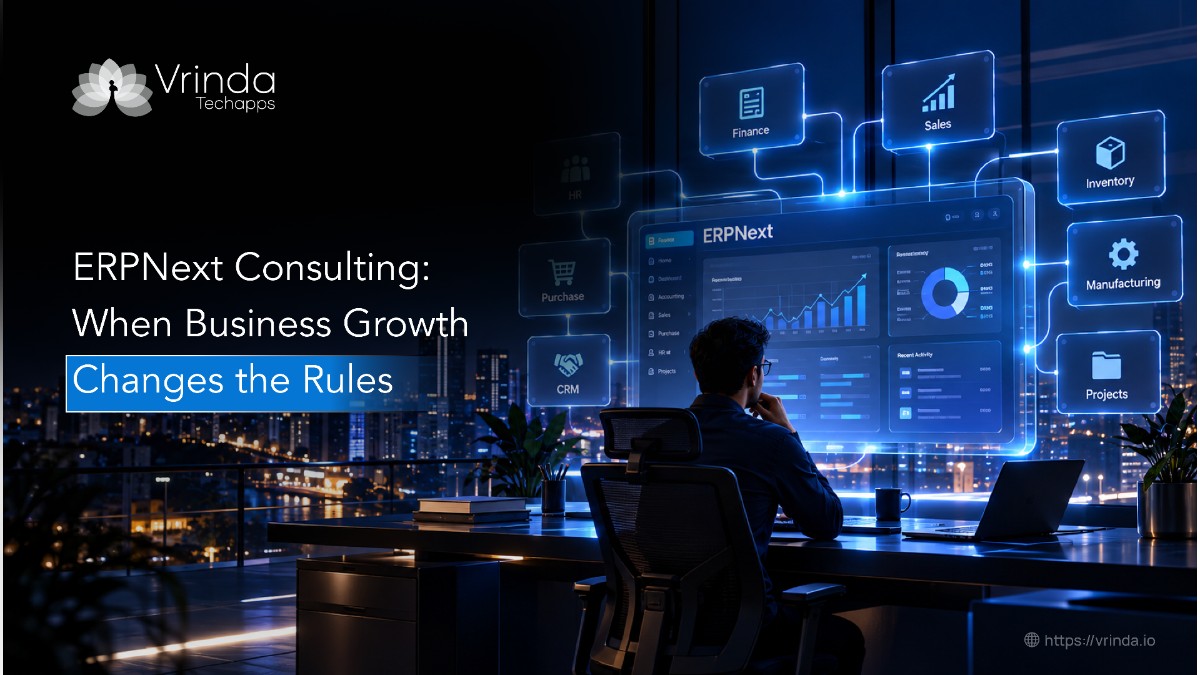
10 min read There is a point in every growing business when the old way of working quietly stops working. It doesn’t happen with a warning. There is no sudden system failure or dramatic announcement. Instead, the sales team starts maintaining another spreadsheet, finance begins reconciling numbers from different sources, inventory records need constant checking, and managers spend more time asking for updates than acting on them. The business is growing, but the systems supporting it are struggling to keep pace. This is where ERPNext Consulting becomes less about choosing software and more about understanding what the business has become. It Starts With a Problem Nobody Notices at First In the early stages, separate systems rarely feel like a problem. A spreadsheet here, an accounting application there, an email approval somewhere in between—it all seems manageable when the team is small. But growth changes the equation. More customers mean more transactions. More employees mean more handoffs. More products mean more inventory information. Eventually, the same piece of information starts travelling through several people and systems before it reaches the person who actually needs it. That is usually when businesses start looking at ERPNext. ERPNext brings functions such as finance, sales, purchasing, inventory, human resources, manufacturing, and projects into a connected environment. The real question, however, is not whether ERPNext has these capabilities. It is whether those capabilities can be shaped around the way the business actually operates. Before the Software Comes the Investigation This is where a good ERPNext Consultant can make a significant difference. Instead of beginning with a list of modules, the process should begin with questions. How does an order move through the company? Where does information get entered more than once? Which approvals slow people down? How is inventory updated? How does finance receive information from sales? Which reports take too long to prepare? These questions reveal the gaps that aren’t always visible from the management level. A process that looks simple on paper may involve several people and multiple manual steps behind the scenes. By understanding those details first, the ERP can be planned around actual business requirements instead of forcing employees to change everything simply to fit the software.. The Biggest Mistake Is Trying to Recreate Everything A capable ERPNext Consultant should know when to challenge that approach. Not every requirement needs custom development. Some can be handled through standard functionality. Others can be solved through configuration or a simpler workflow. There will certainly be situations where customization is the right choice, but it should serve a genuine business need rather than preserve an inefficient process simply because employees are familiar with it. This is one of the most important parts of ERPNext Consulting: understanding the difference between a requirement the business genuinely needs and a habit the business has simply carried forward. Your Data Tells Another Part of the Story There is another challenge that often receives less attention than it deserves: data. Years of customer records, product information, supplier details, transactions, and financial information may exist across different systems. Some records will be duplicated. Some will be outdated. Some may follow completely different naming conventions. Moving everything into ERPNext without reviewing it first can create a clean-looking system filled with unreliable information. That is why data migration needs to be planned early. The information should be reviewed, cleaned, mapped to the new structure, transferred carefully, and validated before teams begin depending on it. Then Comes the Hardest Part: Getting People to Use It Employees have developed their own ways of getting work done. They know which spreadsheet to open, who to message, where to find a particular number, and which workaround saves them ten minutes. When a new system arrives, those habits do not disappear automatically. That is why implementation needs to involve the people who will actually use the system. Their feedback can reveal problems that aren’t obvious during technical testing. Training should also explain how the new workflow fits into their everyday responsibilities, rather than simply showing them where different buttons are located. This Is Where Good Consulting Becomes Visible Effective ERPNext Consulting is not about making the implementation look impressive. It is about making the final system make sense. The work moves from understanding the business to mapping processes, defining requirements, configuring ERPNext, identifying genuine customization needs, connecting other systems, preparing data, testing real scenarios, and supporting users through the transition. The same thinking applies to the role of an ERPNext Consultant. The value lies not only in knowing how the platform works, but in understanding why a business needs something and finding the most sensible way to achieve it. When the System Finally Becomes Part of the Business A manager gets a report without waiting for someone to combine information from several departments. A sales executive can access the information required to speak to a customer. Finance spends less time reconciling data from different sources. Inventory becomes easier to track. Approvals stop disappearing inside email conversations. These changes may sound simple, but together they change how a business operates. People spend less time finding information and more time using it. That is the point at which ERPNext Consulting stops being a technology project and starts becoming a business improvement exercise. Where Vrinda Techapps Comes Into the Picture At Vrinda Techapps, we approach ERPNext with the business behind the software in mind. We don’t begin by assuming that every organisation needs the same modules, workflows, or customizations. We first understand the way the company operates, the challenges its teams face, and the outcomes it expects from the ERP. Our team can work across implementation, configuration, customization, integrations, data migration, testing, training, and ongoing support. More importantly, we can look beyond the ERP itself. A business may also have a website, mobile application, CRM, payment platform, or other internal systems that need to communicate with it.. The Best ERP Is the One You Stop Thinking About The right ERPNext Consultant understands that success isn’t measured by how many features
The Future of Android Application Development Services Is AI
10 min read Remember when building an Android app meant starting with a blank project, setting up dependencies, writing screens, testing every flow, and fixing one bug after another? Google’s Android Studio tools can generate code, create projects from natural-language prompts, troubleshoot build errors, and help with complex tasks. Google also highlights real-world results: Pocket FM reports a 50% cut in development time with Gemini in Android Studio, while Ultrahuman says it launches features 15% faster. For businesses using Android Application Development Services, the bigger story isn’t speed. It’s what teams can do with the time AI gives back. 1. Coding Starts With a Conversation Instead of writing every repetitive function from scratch, Android developers can describe what they need and let AI suggest code, generate functions, explain unfamiliar code, or transform an existing implementation. Android Studio’s Gemini features now support code completion, code transformation, project creation, and agent-based workflows. That doesn’t mean developers can type one prompt and walk away. Google’s documentation recommends reviewing and testing AI-generated code because it can still produce inaccurate or vulnerable output. The advantage is having an assistant that gets the first draft moving faster. For Android application development services, this may decrease the gap between a concept and a functioning prototype and offer experienced developers more time to focus on architecture, performance and product choices. 2. AI Is Moving Onto the Phone Gemini Nano extends AI to Android on-device, allowing some AI experiences to run directly on supported devices. This allows summarization, text interpretation, picture analysis and other smart capabilities without each work being sent to a distant server. What does that matter? Because mobile consumers are interested in speed and privacy. If a feature can handle sensitive information on the device, the app could eliminate needless data transfers while keeping the experience snappy. For Android developers, this creates a new product question: not just “Where can we add AI?” but “Which intelligence should happen on the device?” 3. Security Gets Smarter Apps can employ intelligent algorithms to find anomalies, flag questionable activities and assist teams discover any problems sooner. But AI should enhance security, not be an excuse to automate choices without thinking. Sensitive applications, especially finance, healthcare, and enterprise apps, still need strong architecture, permissions, encryption, testing, and human review. That is where Android developers remain essential. AI can point toward a problem; people still need to understand why the problem matters and what the safest response should be. 4. The Developer’s Job Is Changing When AI handles more boilerplate work, developers have more room to think about user journeys, system design, APIs, performance, accessibility, security, and long-term maintainability. The role moves from “write everything manually” toward “direct, review, improve, and make the right technical decisions.” Google’s current Android Studio Agent Mode reflects that direction: an agent can take a high-level goal, create a plan, edit multiple files, and attempt to fix errors as it works. That makes the developer less of a typist and more of a technical decision-maker. The Infographic View: Android + AI in Numbers 50% — Development-time reduction reported by Pocket FM with Gemini in Android Studio.15% — Faster feature launches reported by Ultrahuman.2X — Innovative experiments released by Gratitude using Android Studio’s AI agent.1M — Token context window available with certain Gemini in Android Studio configurations.45 — Languages supported by Gemini on Android, according to Google’s announcement. The numbers show the direction clearly: AI is becoming part of the workflow, product experience, and device itself. What This Means for Businesses A strong Android team can use AI to move faster without treating speed as the only goal. It can prototype quickly, automate repetitive work, test more intelligently, explore on-device capabilities, and still keep human judgment at the centre of product and security decisions. At Vrinda Techapps, we see AI as a practical advantage, not a buzzword to add to a proposal. Our Android Application Development Services combine modern AI-assisted workflows with product thinking, engineering expertise, testing, and human review. If you’re planning a new Android app or improving an existing one, the opportunity is bigger than adding an AI feature. The opportunity is to rethink how the app should work. Because the future of Android isn’t just smarter apps. It’s smarter development behind them. Share this: Recent posts Social X-twitter Facebook Instagram Linkedin-in
